Organising with Tags
As your question bank grows, finding the right question for an assessment can become a challenge. Tags are a flexible way to label your content so you can retrieve it instantly later.
Why use tags?
Tags allow you to categorise questions in ways that make sense for your teaching. Because they are open-ended, you can use them to track almost anything.
Common use cases include:
- Topics: Label questions by subject area (e.g. "Algebra", "Calculus").
- Difficulty: Mark questions as "Easy", "Medium", or "Hard" to balance your papers.
- Learning Outcomes: Link questions to specific course goals (e.g. "LO1 - Critical Thinking").
- Time Period: Organize content by when it was taught (e.g. "Week 1").
Adding tags
You can add tags whenever you creating or editing a question in the Question Builder. Simply type a name into the tags field and press enter. Tandem will automatically suggest existing tags to help you keep your naming consistent.
Finding questions with tags
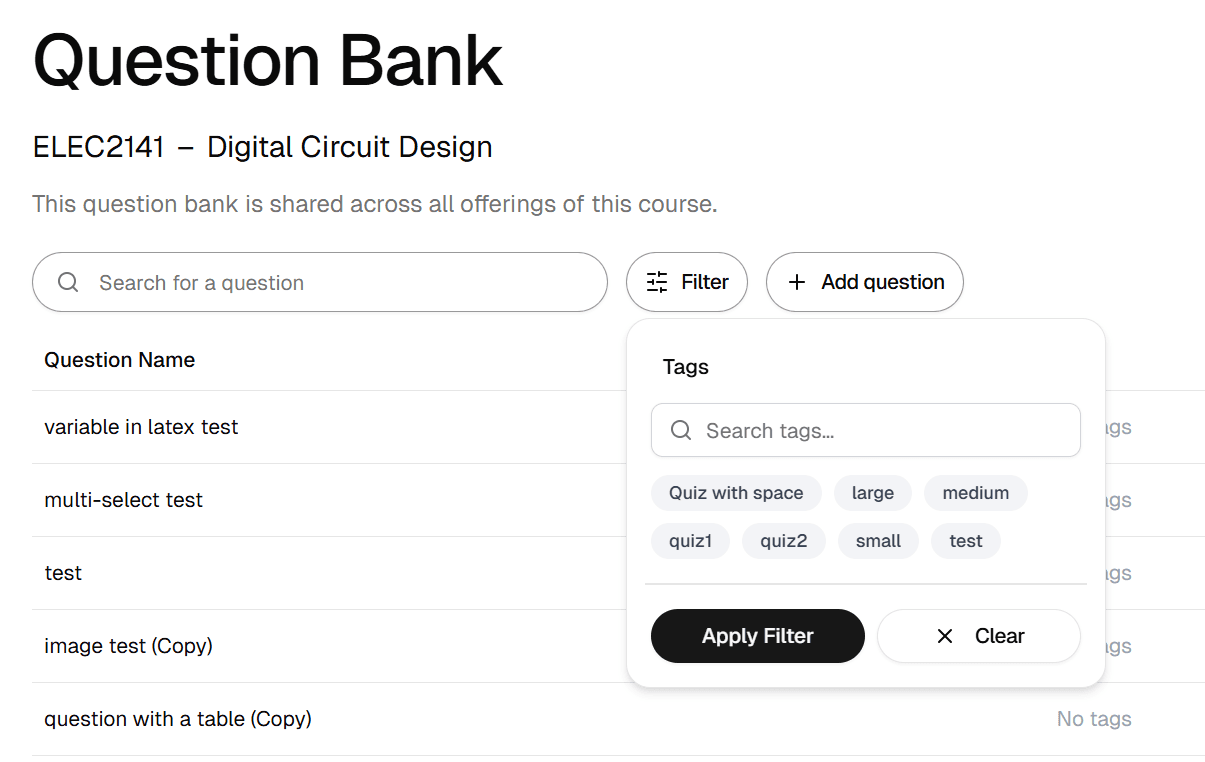
When you are building an assessment, you can use the filters to narrow down your search. For example, you might look for all questions tagged “Week 5” that are also tagged “Medium Difficulty”. This makes it easy to assemble a balanced paper that covers specific material.
Best practices
Keep it simple. It's better to have a few broad tags that you use consistently than hundreds of specific ones that are rarely applied. Agree on a naming convention with your teaching team (e.g. always use "Week 1" instead of "Wk1") to ensure everyone can find what they need.