The Grading Workflow
Tandem handles the heavy lifting of marking automatically, so you can focus on where students need help. Here is how submissions turn into grades.
Automatic marking
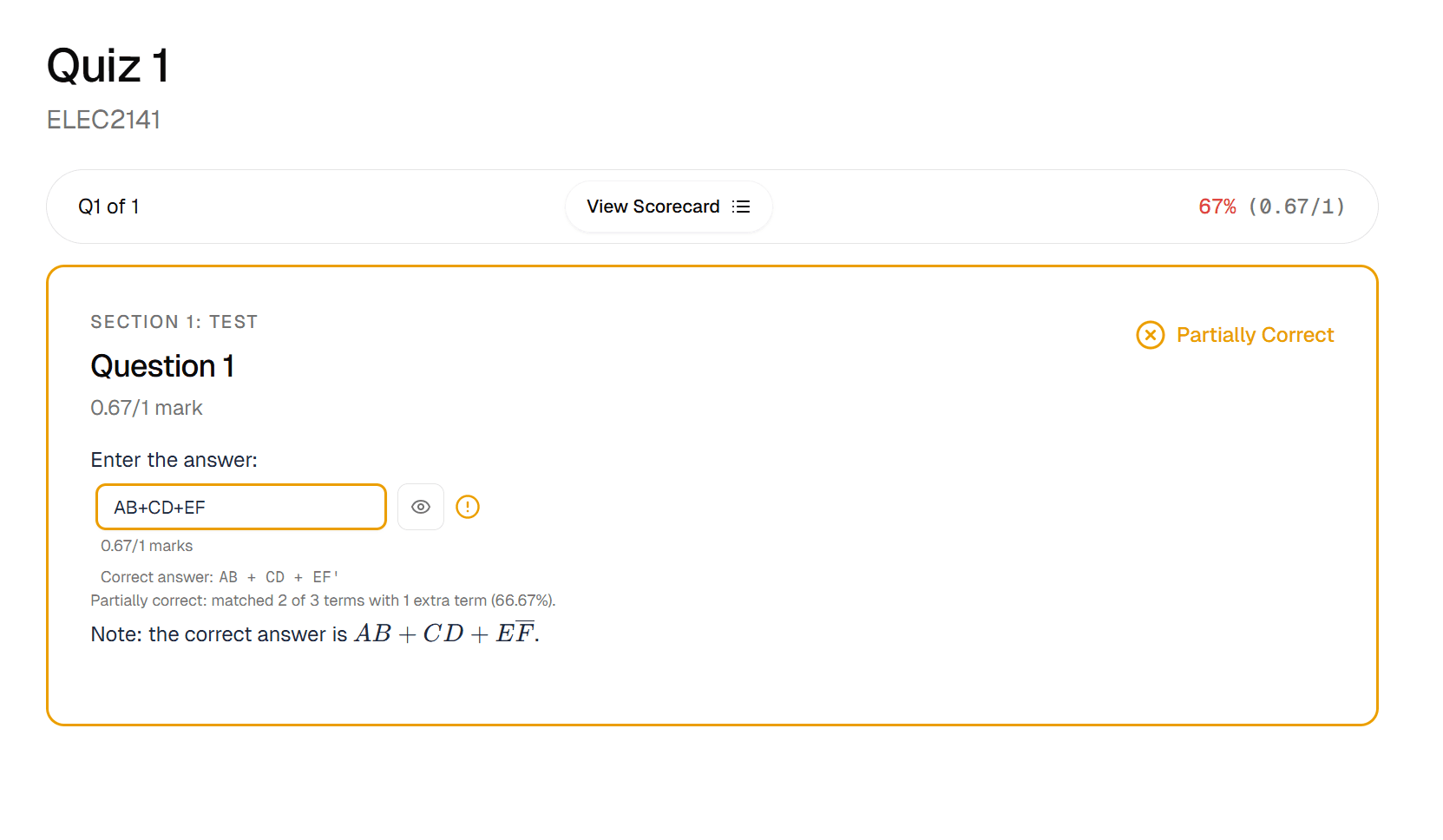
Every question in Tandem is auto-graded the moment a student submits. Whether it is a simple multiple-choice or a complex numeric input with randomised variables, the system calculates the score instantly based on the rules you defined. This means results are ready immediately—no waiting for batch processing.
Review & overrides
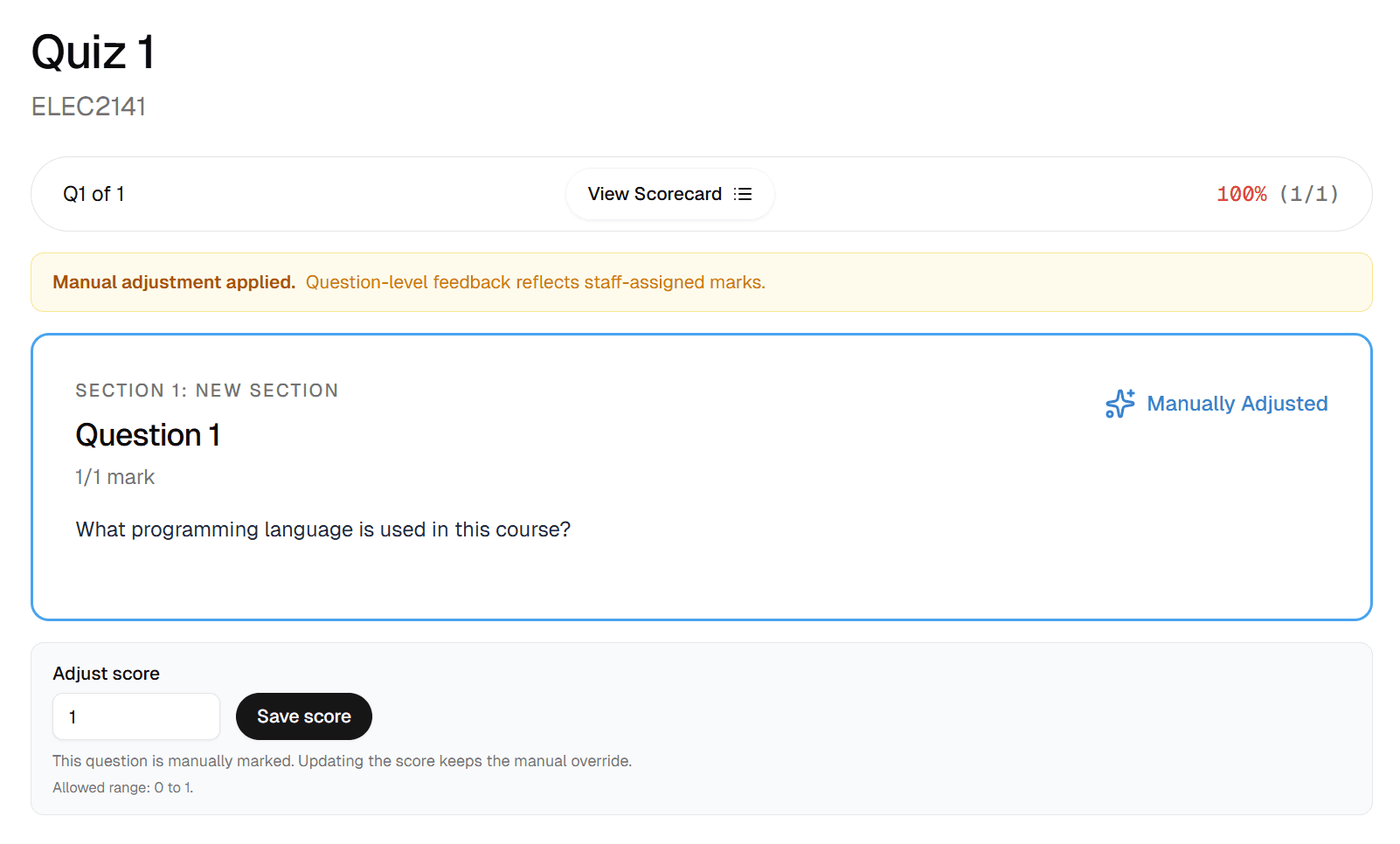
Sometimes a machine is not enough. You can review any student's attempt in detail, see exactly what they answered, and manually adjust their mark if needed. Any changes you make are logged and the student's total score updates automatically. To do this, go to Manage Users and select the student you want to override. Click on them and you will be able to see a list of their assessment attempts. Then, click on the attempt you want to override and you will be able to manually adjust the mark.
Release to students
You control when feedback is released. Students will only see detailed feedback after the assessment has closed. They can see their marks, which questions they got wrong, and any specific feedback messages you configured. This delayed release helps ensure fairness while still allowing students to learn from their mistakes.