Guiding Principles
Creating high-quality assessments is as much about the questions you ask as it is about the platform you use. These principles serve as a guide for course administrators to build fair, effective, and reliable assessments for their students.
Clearly worded questions
Questions are to be clearly worded so that students understand exactly what is being asked. Avoid complex sentence structures or obscure vocabulary unless it is directly relevant to the subject matter. The goal is to test the student's knowledge of the topic, not their ability to decipher the question.
Avoid ambiguity
Questions and answers are not to be ambiguous. Double negatives, vague terms (like "usually" or "sometimes" without context), and options that partially overlap can confuse students who know the material. Ensure there is strictly one correct or best answer for multiple-choice questions.
Be clear and concise
Questions should be clear and concise. Provide all necessary information in the question stem itself, but avoid unnecessary fluff. A shorter question usually reduces cognitive load and allows students to focus on the problem at hand.
Balanced difficulty, fairness, and review
Assessments should test a range of skills, from basic recall to complex analysis, while ensuring fairness across the cohort. Use the builder to attach multiple questions to a single slot and randomize section order; this reduces collusion without compromising the intended difficulty level. Finally, always review the test by asking staff or tutors to take it, as peer review is the most effective way to validate your design and catch errors before publishing.
Start with the question bank
Questions live at the course level and can be reused across offerings. Each question stores a fully typed definition, whether it is a multiple-choice item or a composite text question authored in the rich editor. Use tags to label questions by topic or outcome; these tags become filters in the builder so you can assemble assessments quickly while keeping coverage balanced.
Shape sections around outcomes
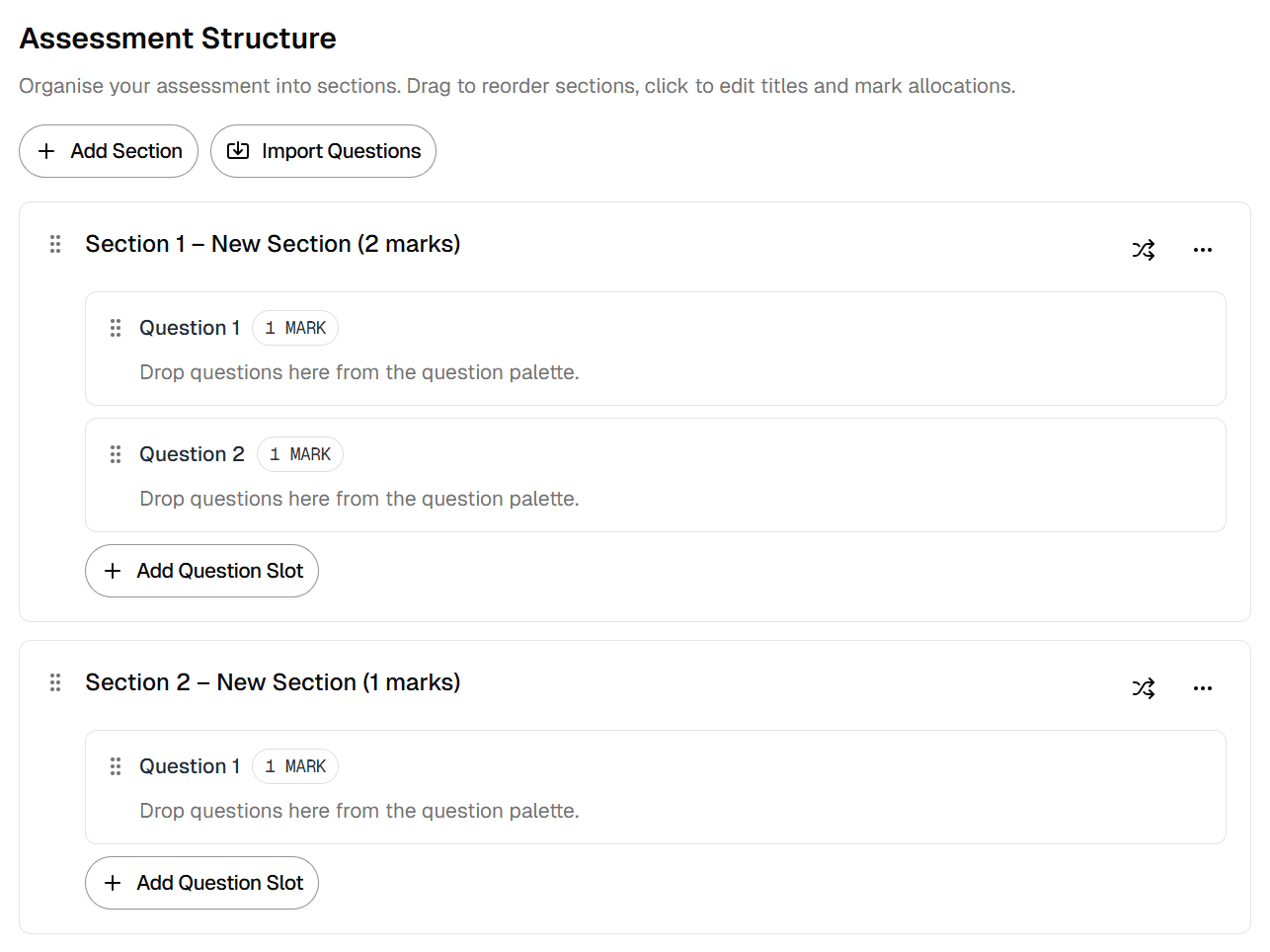
Sections provide the scaffolding for your assessment. Create one for each theme or learning outcome, then add question slots for the marks you want to allocate. Slots hold the weighting, link back to the questions that can appear in that position, and record whether their order should be randomised. Thinking in sections makes it easier to check that every outcome receives the attention it deserves.
Keep an eye on mark totals
The builder calculates total marks automatically as you configure slots. That total is persisted to the assessment record and used by the grading service to normalise scores. If you later edit the structure the max mark is recomputed, ensuring insights and exports always reference the right denominator.
Preview before students arrive
Use the preview controls to generate staff-only attempts. You will see the exact question mix, random order, and time limit students will experience. This is the quickest way to spot copy errors, misaligned marks, or confusing instructions before publishing.